Configuration for field teams
WARPing supports Microsoft Intune managed app configuration and device-seat licensing for business fleets. Teams can deploy a consistent configuration across managed Android tablets.
For managed Android field teams
Send an approved notice or ticket from a supported field workflow straight to a configured Brother mobile printer. WARPing skips the normal print-preview sequence so the next step is getting back to work.
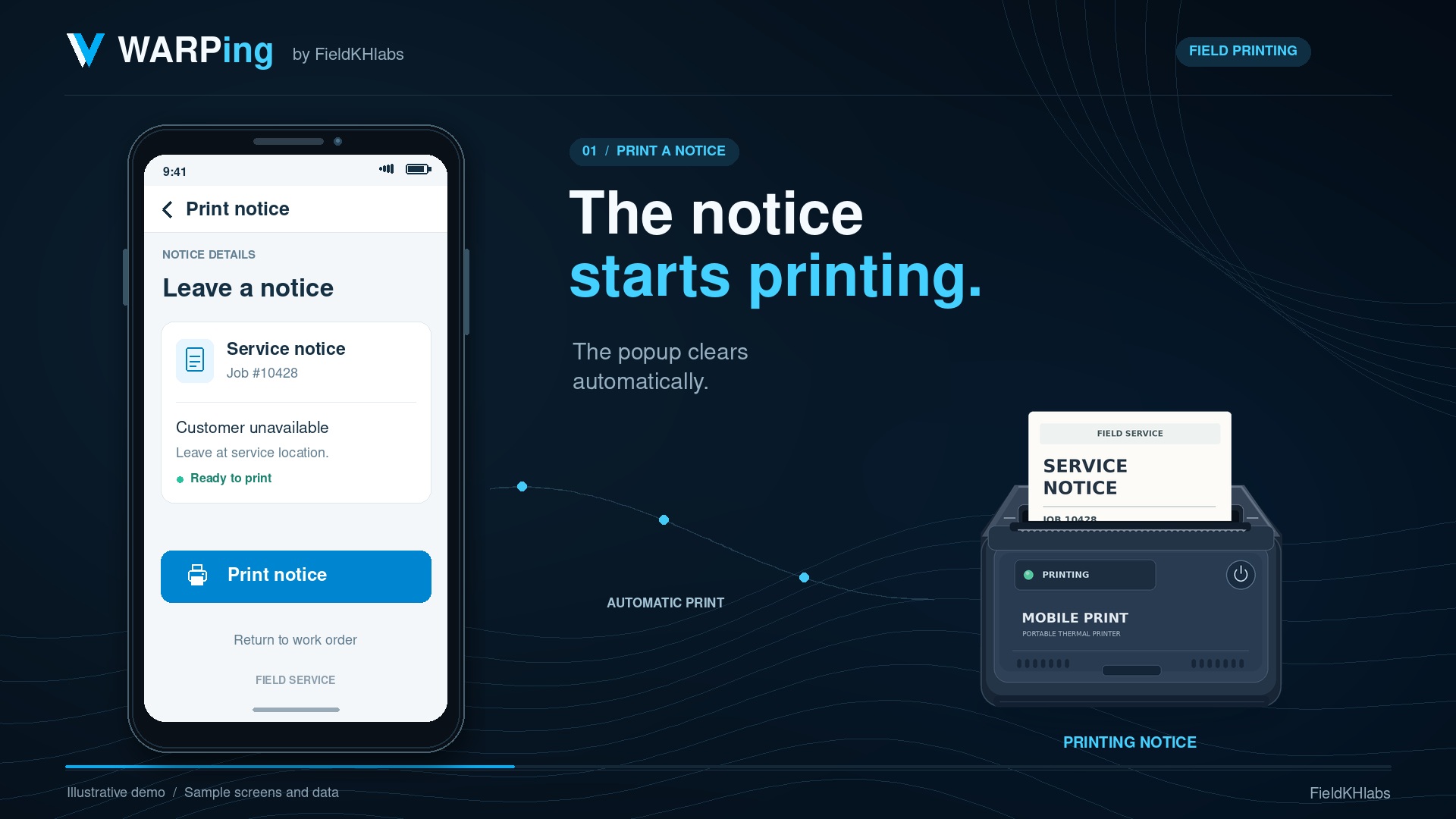 See approved documents go straight to print
From the document to the printer
Tap “Print notice” in a supported workflow, or open an approved PDF ticket from the document list.
A brief WARPing popup handles the print handoff. The configured printer receives the document without the usual preview screens.
After the printer accepts the job, WARPing returns the user to the previous app.
A PDF outside the approved workflow does not trigger a WARPing popup or an automatic print job. The demo shows both an approved ticket and a document that is not approved for automatic printing.
Built around the field setup
WARPing supports Microsoft Intune managed app configuration and device-seat licensing for business fleets. Teams can deploy a consistent configuration across managed Android tablets.
A configured, supported printer is part of the workflow. Check the tablet, Android version, printer model, and source application before deployment.
WARPing prepares PDF documents on the Android tablet. PDFs, document text, addresses, and other printed content are not uploaded to the licensing service.
Adjust the rendered size of a page in WARPing or through managed app configuration. Paper use depends on the document, printer, media, and settings.
WARPing pricing
Choose a plan for the devices you activate.
1–9 devices
$14.99/device/month
For individuals and small teams with 1–9 devices.
Contact sales10–39 devices
$12.49/device/month
Per-device pricing for a growing team of field users.
Contact sales40+ devices
Contact for quote
90-day Enterprise trial
Larger deployments, Intune-managed fleets, companion devices, and multi-year terms.
Contact for quotePrices are in USD per device per month. Billing schedule and subscription term are confirmed in your quote. A compatible Android device and supported printer are required. View service terms.
Start your trial in the app and verify your email to activate one device. For the 90-day Enterprise trial, contact sales to arrange your deployment. Trials do not automatically enroll you in a paid subscription.
Before you get started
Approved PDFs handed off by a supported workflow can trigger WARPing. The demonstrated examples are a “Print notice” action and an approved PDF ticket. A document outside that workflow does not automatically print.
Start with your managed Android tablet, Android version, and Brother mobile printer model. The source application and document layout also matter. Send those details to Field KH Labs to discuss compatibility before deployment.
Yes. WARPing supports Microsoft Intune managed app configuration, including print scaling. Device-seat licensing supports business deployments. Contact us to discuss your configuration and device count.
WARPing processes print documents locally on the Android tablet. Document content is not uploaded to the licensing service. Licensing uses separate activation and device information; the privacy policy explains that distinction.
Find the fit for your team
Tell us your tablet, printer model, and source app. Ask about compatibility or a WARPing demonstration for your team.